


- Afhalen na 1 uur in een winkel met voorraad
- Gratis thuislevering in België vanaf € 30
- Ruim aanbod met 7 miljoen producten
- Afhalen na 1 uur in een winkel met voorraad
- Gratis thuislevering in België vanaf € 30
- Ruim aanbod met 7 miljoen producten





Omschrijving
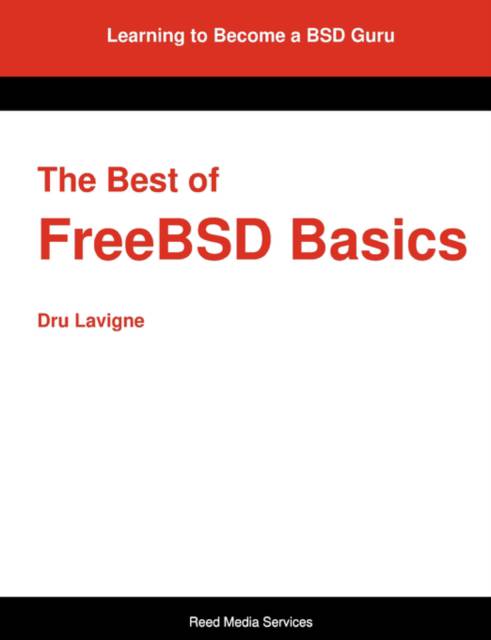
For over seven years, computer networking and security instructor and consultant, Dru Lavigne, meticulously documented her learning experiences with FreeBSD administration and open source software usage in a series of over 110 articles. Many readers praised and recommended the author's informative tutorials. The Best of FreeBSD Basics book contains most of these articles - many updated from FreeBSD 4 and 5 to reflect the usage on FreeBSD 6 and 7. The Best of FreeBSD Basics provides practical advice for completing common tasks on FreeBSD and is a great way to get to know FreeBSD - and Unix in general. Darwin, DragonFly, Linux, Mac OS X, NetBSD, and OpenBSD fans will also find a lot of the book invaluable and useful. Covering a huge range of FreeBSD and open source topics, The Best of FreeBSD Basics includes step-by-step directions, things to watch out for, and hints for success. A sampling of the book's topics include installing an X11 server and setting up an desktop environment, comparing common tasks with Linux, playing audio and video files, user administration, system startup, finding and using documentation, managing backups, networking basics, IPsec, setting up several servers, filtering spam, improving security, enabling firewalls, and a lot more.
Specificaties
Betrokkenen
- Auteur(s):
- Uitgeverij:
Inhoud
- Aantal bladzijden:
- 596
- Taal:
- Engels
Eigenschappen
- Productcode (EAN):
- 9780979034220
- Verschijningsdatum:
- 20/12/2007
- Uitvoering:
- Paperback
- Formaat:
- Trade paperback (VS)
- Afmetingen:
- 189 mm x 246 mm
- Gewicht:
- 1047 g


Alleen bij Standaard Boekhandel
+ 120 punten op je klantenkaart van Standaard Boekhandel

Beoordelingen
We publiceren alleen reviews die voldoen aan de voorwaarden voor reviews. Bekijk onze voorwaarden voor reviews.