


- Afhalen na 1 uur in een winkel met voorraad
- Gratis thuislevering in België vanaf € 30
- Ruim aanbod met 7 miljoen producten
- Afhalen na 1 uur in een winkel met voorraad
- Gratis thuislevering in België vanaf € 30
- Ruim aanbod met 7 miljoen producten





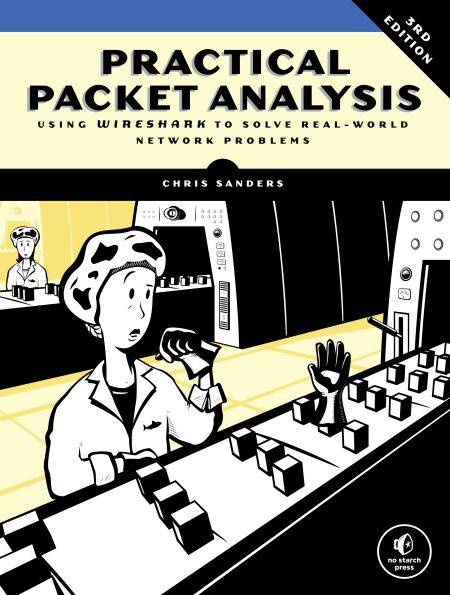
Practical Packet Analysis, 3rd Edition E-BOOK
Using Wireshark to Solve Real-World Network Problems
Chris Sanders
E-book | Engels
€ 39,42
+ 39 punten
Uitvoering
Omschrijving
It’s easy to capture packets with Wireshark, the world’s most popular network sniffer, whether off the wire or from the air. But how do you use those packets to understand what’s happening on your network?
Updated to cover Wireshark 2.x, the third edition of Practical Packet Analysis will teach you to make sense of your packet captures so that you can better troubleshoot network problems. You’ll find added coverage of IPv6 and SMTP, a new chapter on the powerful command line packet analyzers tcpdump and TShark, and an appendix on how to read and reference packet values using a packet map.
Practical Packet Analysis will show you how to:
–Monitor your network in real time and tap live network communications
–Build customized capture and display filters
–Use packet analysis to troubleshoot and resolve common network problems, like loss of connectivity, DNS issues, and slow speeds
–Explore modern exploits and malware at the packet level
–Extract files sent across a network from packet captures
–Graph traffic patterns to visualize the data flowing across your network
–Use advanced Wireshark features to understand confusing captures
–Build statistics and reports to help you better explain technical network information to non-techies
No matter what your level of experience is, Practical Packet Analysis will show you how to use Wireshark to make sense of any network and get things done.
Updated to cover Wireshark 2.x, the third edition of Practical Packet Analysis will teach you to make sense of your packet captures so that you can better troubleshoot network problems. You’ll find added coverage of IPv6 and SMTP, a new chapter on the powerful command line packet analyzers tcpdump and TShark, and an appendix on how to read and reference packet values using a packet map.
Practical Packet Analysis will show you how to:
–Monitor your network in real time and tap live network communications
–Build customized capture and display filters
–Use packet analysis to troubleshoot and resolve common network problems, like loss of connectivity, DNS issues, and slow speeds
–Explore modern exploits and malware at the packet level
–Extract files sent across a network from packet captures
–Graph traffic patterns to visualize the data flowing across your network
–Use advanced Wireshark features to understand confusing captures
–Build statistics and reports to help you better explain technical network information to non-techies
No matter what your level of experience is, Practical Packet Analysis will show you how to use Wireshark to make sense of any network and get things done.
Specificaties
Betrokkenen
- Auteur(s):
- Uitgeverij:
Inhoud
- Aantal bladzijden:
- 368
- Taal:
- Engels
Eigenschappen
- Productcode (EAN):
- 9781593278298
- Verschijningsdatum:
- 29/03/2017
- Uitvoering:
- E-book
- Formaat:
- ePub



Alleen bij Standaard Boekhandel
+ 39 punten op je klantenkaart van Standaard Boekhandel
Cadeau

AANGERADEN


Beoordelingen
We publiceren alleen reviews die voldoen aan de voorwaarden voor reviews. Bekijk onze voorwaarden voor reviews.